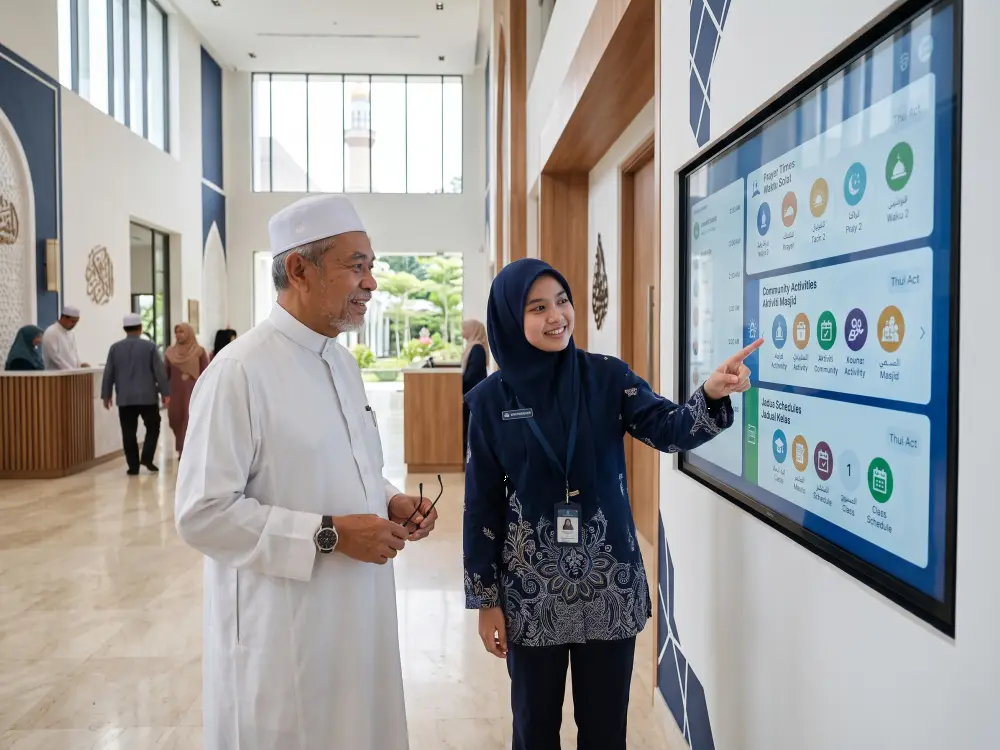
Clear digital information can help visitors of different ages understand prayer schedules, programmes and community announcements.
Masjid Technology Begins Before People Enter
The community experience often begins before someone arrives at the masjid. People may want to know the prayer schedule, the time of a religious class, whether registration is required or where a community programme will take place. Traditionally, this information may be shared through printed banners, messaging groups, social media posts and verbal announcements. These methods remain useful, but information can become fragmented when different volunteers manage separate communication channels. A more connected approach allows key updates to be prepared once and shared consistently across digital platforms. Prayer times should always be confirmed through an authoritative source such as the official JAKIM e-Solat portal. Local programme details can then be added by authorised committee members. When people know what is happening before they arrive, they can plan their visit with greater confidence. Parents can prepare children for a class, older congregants can choose a suitable programme and volunteers can arrive with clearer expectations.A Clearer Arrival Experience
Once visitors enter the masjid, one of their first needs is orientation. Regular congregants may already know where to go, but new visitors, programme participants and guests may need help finding registration counters, classrooms, multipurpose halls or ablution facilities. Digital signage can present prayer times, daily activities, directional information and important notices in a single organised layout. Unlike a printed poster, digital content can be updated without producing and installing a new physical notice every time something changes. A real example can be seen in the digital signage installation at Masjid Seksyen 7, where a central display is used for prayer schedules, announcements and community programme information. However, visibility alone is not enough. Information should also be accessible. The W3C guidance for older digital users highlights how changing vision, hearing, physical ability and cognition can affect the use of digital information. Although the guidance is written for digital interfaces, the same principles are helpful when designing content for masjid displays. Useful practices include large text, strong contrast, simple wording, sufficient display time and layouts that do not contain too much information at once.How Masjid Technology Changes Religious Learning
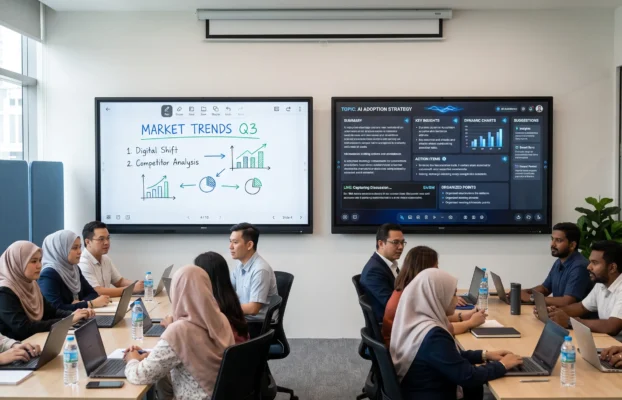
Religious learning is one of the areas where masjid technology can create the most visible improvement. A traditional lesson may depend on printed books, a whiteboard or a projector connected to a separate laptop. These tools can still work well, but they may limit visibility or require additional setup. An interactive smartboard combines visual presentation, digital writing, annotation, multimedia playback and wireless content sharing on one large display. An ustaz can display structured notes, highlight important sections and move between different teaching materials without repeatedly changing devices. This does not mean replacing traditional books or face-to-face instruction. A smartboard should support the teacher rather than become the centre of attention. Printed mushaf, personal guidance, discussion and direct interaction remain essential parts of the learning experience. The technology is especially useful when a larger group needs to follow the same reference, diagram or explanation. It can also help younger participants who are familiar with visual and interactive learning methods.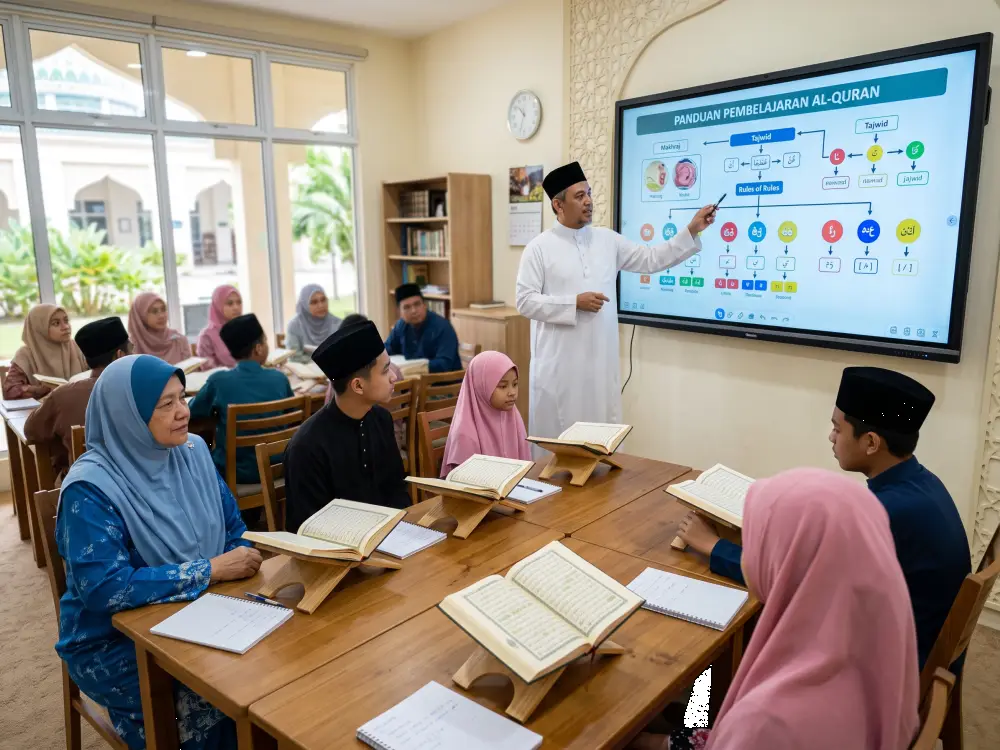
Interactive displays can make religious learning more visible while preserving direct teaching and traditional learning materials.
More Flexible Programmes in Different Spaces
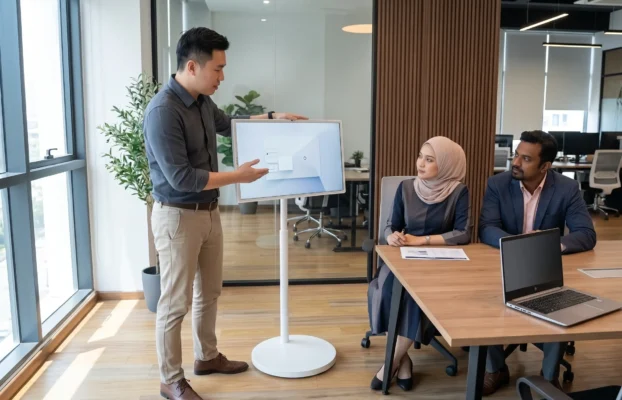
A masjid may conduct programmes in several locations throughout the week. A large lecture may take place in the main hall, while Quran classes, youth activities, committee meetings and registration sessions may use smaller rooms. Installing permanent equipment in every room may not always be practical. Portable technology provides another option. A movable display such as the Arvia FlipTouch can support smaller learning circles, floor-seated participants, registration activities and temporary information points. The ability to adjust and move equipment allows the masjid to use one solution for several types of programmes. It also gives committees a practical way to begin digital transformation gradually rather than attempting to upgrade every space at the same time.Connecting People Who Cannot Attend Physically
Not every community member can attend every programme. Some may be elderly, unwell, travelling or living away from the area. Others may have family responsibilities that make physical participation difficult. Video conferencing and live streaming can extend selected classes, lectures and meetings beyond the physical building. A participant may be able to follow a religious talk from home, while a committee member could join a planning meeting remotely. This form of participation should be managed carefully. Committees need clear guidelines regarding privacy, recording, camera placement and which programmes are appropriate for public or restricted online access. The goal is not to replace attendance at the masjid. Instead, hybrid access offers an additional connection for people who would otherwise miss the programme completely.How the Community Experience Is Changing
| Community Moment | Traditional Experience | Technology-Supported Experience |
|---|---|---|
| Before visiting | Information may be spread across posters and messaging groups | Clear schedules and programme details can be shared consistently |
| Entering the masjid | New visitors may need to ask volunteers for directions | Digital displays can provide announcements and directional guidance |
| Following a lesson | Visual material may be difficult to see from the back | Large interactive content can support clearer group learning |
| Joining remotely | Participants must be physically present for most activities | Selected talks and meetings can support hybrid participation |
| Receiving updates | Notices must be reprinted or manually replaced | Approved information can be updated through a central system |
| Using different rooms | Presentation equipment may need to be assembled repeatedly | Fixed and portable displays can support different programme spaces |
Masjid Technology Can Support Volunteers Too
The community experience depends heavily on the volunteers and committee members working behind the scenes. Preparing posters, changing announcements, setting up projectors and responding repeatedly to the same questions can consume valuable time. A well-planned system can reduce some of this repetitive work. A cloud-based digital signage system, for example, can allow approved content to be scheduled in advance. A smartboard can keep meeting notes and presentation materials in one place. Standard templates can help different volunteers produce consistent announcements. Technology should not create a system that only one person understands. At least two or three people should know how to manage essential functions. Simple operating procedures, clear access permissions and basic training are more valuable than unnecessary technical complexity.Creating a More Inclusive Masjid Experience
Communities include children, young adults, parents, elderly visitors and people with different physical or learning needs. Effective masjid technology should consider all of them. For older visitors, information should remain visible long enough to read. For children and teenagers, visual learning may make selected activities more engaging. For people with limited mobility, remote participation may provide access to programmes they would otherwise miss. Accessibility also means providing alternatives. Important announcements should not appear only on a screen. They may also need to be shared verbally, through messaging channels or in printed form. Technology works best as an additional communication layer rather than the only available method.Technology Should Remain Respectful and Unobtrusive
The masjid has a distinct atmosphere and purpose. Screens should not create unnecessary visual movement, commercial-style advertising or continuous audio. Equipment should not block prayer rows, entrances or architectural features. Content should be calm, accurate and relevant. Animations can be kept minimal. Videos should not play loudly in areas where people are praying or reading. Displays may also be dimmed or turned off during selected prayer periods. The most successful technology is often the technology that people barely notice. It provides information when required and then allows the masjid environment to remain peaceful.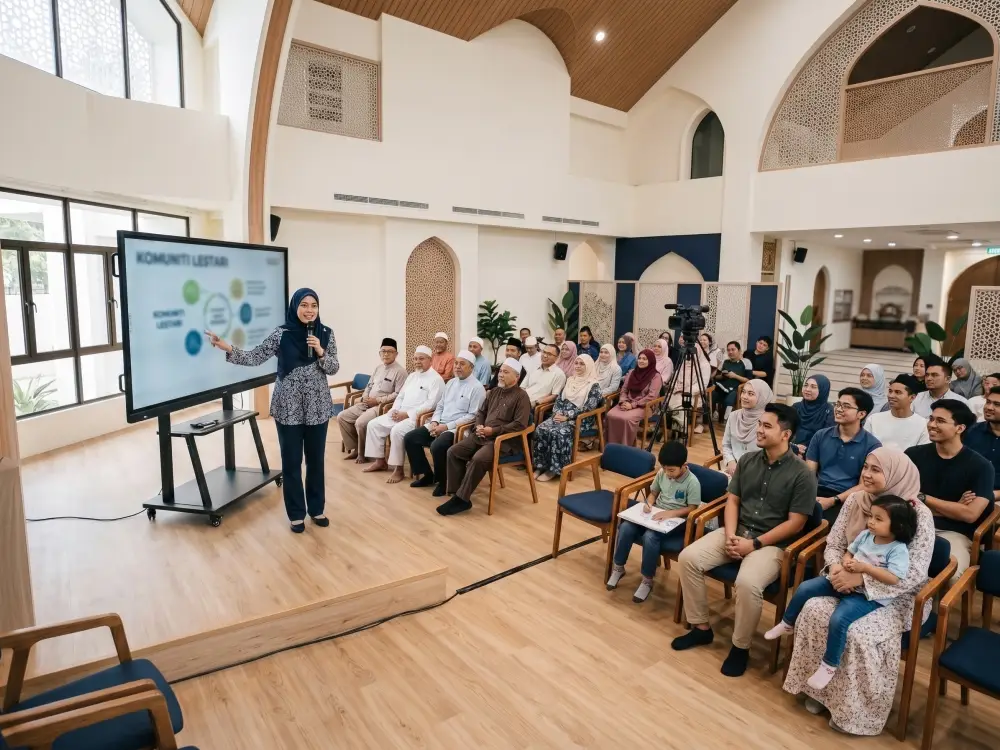
Hybrid systems can extend selected community programmes while keeping physical participation at the centre of the experience.
Questions Masjid Committees Should Ask First
Before purchasing equipment, committees should begin with the community experience they want to improve. Useful questions include:- Which information is currently difficult for visitors to find?
- Which programmes regularly require visual presentation equipment?
- Are older visitors able to read current announcements clearly?
- Which activities would benefit from a portable display?
- Are there selected programmes that should support remote participation?
- Who will update content and manage the equipment?
- Can more than one volunteer operate the system confidently?