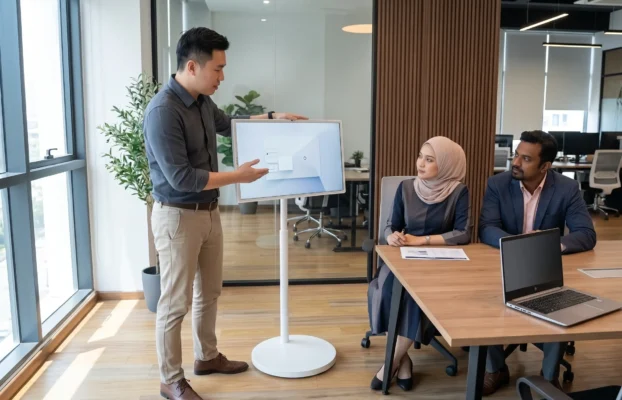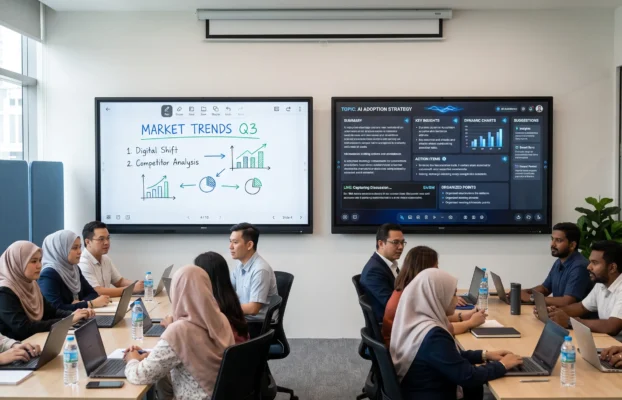
The most successful digital transformation projects are usually the least complicated for the people using them. Prayer-time information is easier to update. A lecturer can present Quranic learning material clearly. Committee members can conduct hybrid meetings without assembling a temporary collection of cables and devices. Visitors can find announcements, programmes and facilities without depending on printed notices that may already be outdated.
In other words, a digital masjid should feel organised, accessible and calm. The technology should remain in the background until it is needed.
What Defines a Digital Masjid in 2026?
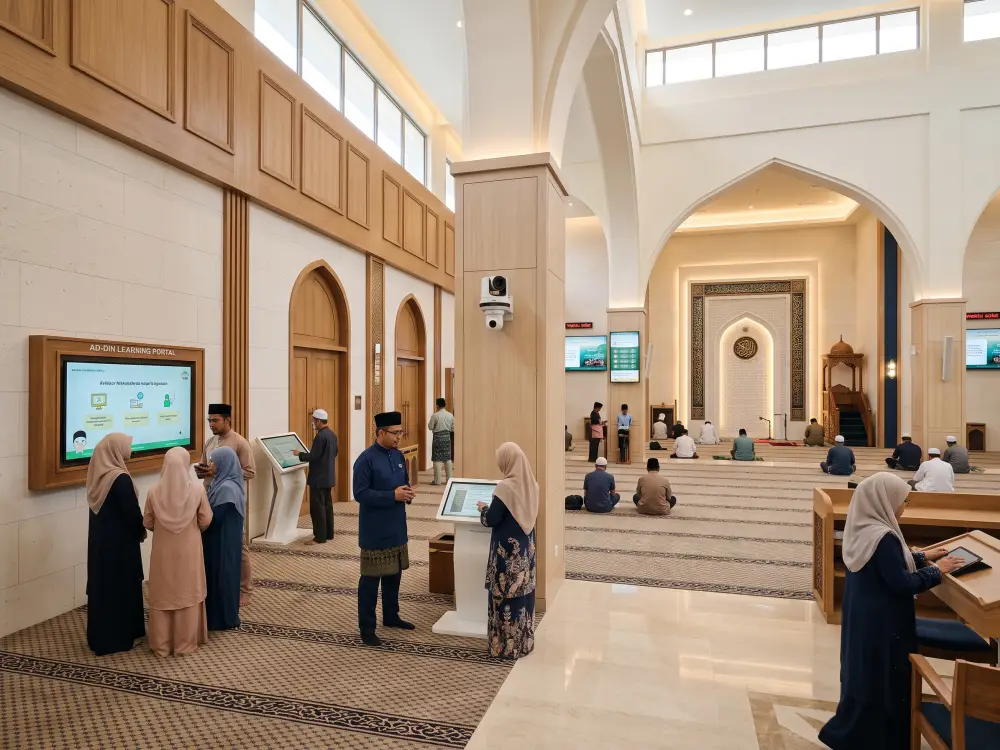
The defining feature of a digital masjid is not the quantity of equipment installed. It is the way different tools work together to serve real community needs. The right solution may include an interactive smartboard, digital signage, a portable display, a content management system, video conferencing equipment or an information kiosk. However, every component should have a clear role.
For masjid committees beginning their research, our earlier guide to essential digital masjid technologies in Malaysia explains the main categories of equipment. The next step is to understand how those categories should appear and function as one connected environment.
1. A Clear Digital Communication Layer
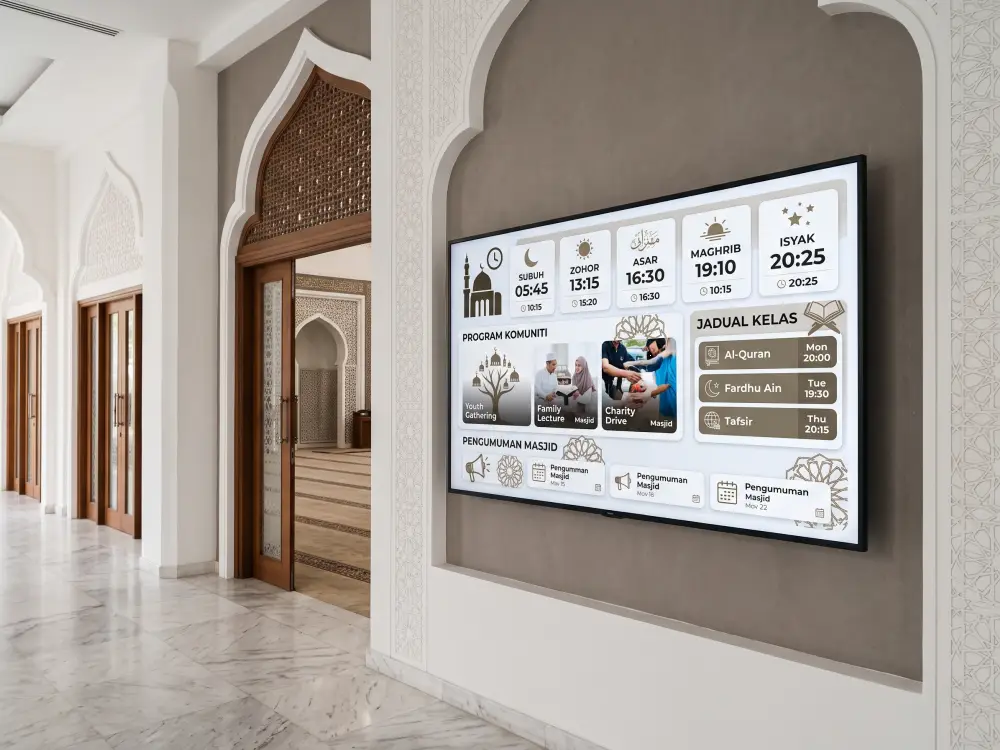
The first visible layer is usually communication. Instead of relying entirely on posters, banners and handwritten notices, a masjid can use centrally managed displays for prayer times, class schedules, donation updates, community announcements, funeral notices and upcoming programmes.
In Malaysia, prayer-time information should be checked against an authoritative source such as the official JAKIM e-Solat portal. A digital display can then present the information in a consistent format alongside locally managed announcements.
The important word is managed. A screen that requires a volunteer to visit the masjid with a USB drive every time a notice changes is only partly digital. A stronger approach uses a content management system so authorised committee members can schedule, update and review content from a central dashboard. Solutions such as Arvia digital signage can support cloud-managed content across one or multiple screens.
2. An Interactive Learning Environment
A modern masjid is also a place of continuous learning. Religious classes, Quranic lessons, youth programmes, family seminars and committee briefings all benefit from content that can be seen and understood clearly.
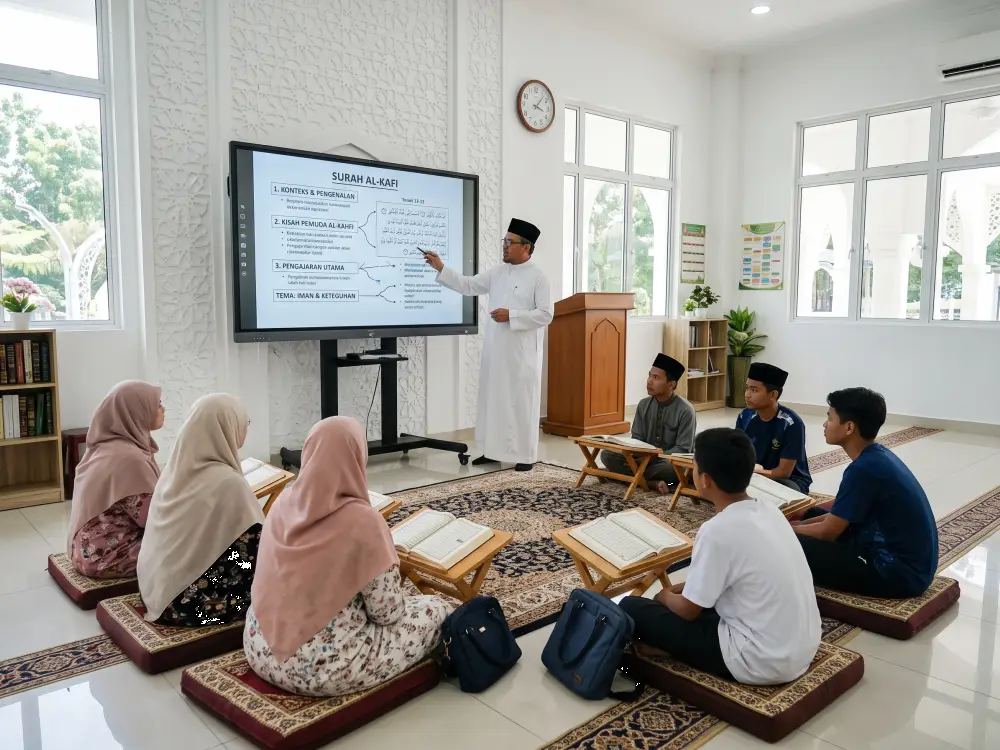
An interactive smartboard allows an ustaz, teacher or facilitator to display verses, annotate teaching material, compare references, play educational media and save lesson notes. It can reduce dependence on a separate projector, projection screen, laptop, whiteboard and speaker arrangement.
The aim is not to replace printed mushaf, face-to-face teaching or traditional learning methods. Instead, the technology provides an additional visual layer for larger groups, multilingual explanations, diagrams, structured notes and hybrid participation.
3. Technology That Moves with the Programme
Not every activity takes place in the main prayer hall. A masjid may use classrooms, meeting rooms, multipurpose halls, reception areas and covered outdoor spaces. Fixed equipment alone may not provide enough flexibility.
A portable solution such as the Arvia FlipTouch can be moved between smaller learning circles, registration counters, youth activities and committee discussions. This is particularly useful when a masjid wants to begin with a focused deployment rather than install a large display in every room.
This modular approach is an important characteristic of a digital masjid in 2026: start with priority spaces, measure actual use and expand only where the community gains clear value.
4. Hybrid Access Beyond the Building
A masjid community is wider than the people who can attend physically on a particular day. Elderly residents, people with mobility limitations, students living away from home and community members travelling for work may still want access to selected talks or learning sessions.
With appropriate audio, camera and connectivity arrangements, selected programmes can be streamed or joined remotely. Committee meetings can also include members who cannot be present in person. The technology must be used with sensible governance, including clear decisions about which sessions are public, which are private and who may record or distribute them.
A real-world example can be seen in the AI Smartboard and FlipTouch deployment at Masjid Jamek Al-Ikhwan, where interactive and portable displays support learning, presentations and community programmes.
Traditional Setup Versus a Digital Masjid
| Area | Traditional Approach | Digital Masjid Approach |
|---|---|---|
| Announcements | Printed posters and manually replaced notices | Scheduled digital content updated from a central system |
| Religious classes | Whiteboard, projector and separate audio equipment | Interactive visual teaching with annotation and media support |
| Room usage | Equipment fixed to one location | Combination of fixed and mobile displays based on programme needs |
| Remote participation | Limited or arranged separately for each event | Planned hybrid capability for suitable talks and meetings |
| Content updates | Handled individually by different volunteers | Defined access, templates, schedules and approval responsibilities |
| Future expansion | New equipment purchased as isolated items | Phased ecosystem designed for compatibility and maintainability |
A Digital Masjid Must Still Feel Like a Masjid
Digital transformation should respect the atmosphere, architecture and responsibilities of the space. Screens should not create constant visual noise. Content should not resemble commercial advertising. Equipment placement should not obstruct prayer rows, circulation routes or important architectural elements.
Readability is especially important because masjid visitors include people of different ages and levels of vision. Digital notices should use large text, simple layouts and strong contrast. The W3C guidance on text contrast is a useful reference when designing announcement templates, even when the content is displayed on a physical signage screen rather than a website.
Good digital masjid design also considers audio discipline. A display does not need to play sound continuously. Notifications, videos and background audio should be controlled according to the location and activity. In many situations, silent visual communication is more appropriate.
What a Digital Masjid Should Not Become
Technology can create new problems when it is purchased without a clear operating plan. A digital masjid should not become:
- A collection of screens showing unrelated or outdated content.
- A complicated system that only one technical volunteer understands.
- A highly animated environment that distracts visitors before or during worship.
- A replacement for personal communication between committee members and the community.
- A one-time hardware purchase with no plan for content, training, maintenance or security.
The best result is not the most futuristic-looking installation. It is the one that committee members can operate confidently and the community can use naturally.
A Practical Roadmap for Masjid Committees
A committee does not need to transform every space at once. A phased roadmap is usually more sustainable.
- Identify the communication and learning priorities. List the recurring tasks that consume time or reduce clarity, such as replacing notices, preparing lecture equipment or managing hybrid meetings.
- Audit the spaces and existing infrastructure. Review room dimensions, viewing distance, lighting, internet access, electrical points, audio systems and secure storage.
- Select one high-impact starting point. This may be a digital signage screen at the entrance, a smartboard in the lecture room or a mobile display shared between several programmes.
- Assign content and system ownership. Decide who can publish, approve, schedule and remove content. Create simple templates so updates remain consistent.
- Train more than one person. Operational knowledge should not depend on a single volunteer. Basic training and documented procedures help the system remain useful over time.
- Review actual usage before expanding. Ask which features are used regularly, which processes have improved and what the community still finds difficult.
The Real Measure of a Digital Masjid
The success of a digital masjid should be measured through outcomes rather than the number of devices installed. Are announcements updated faster? Can older visitors read the information more easily? Are religious classes clearer for larger groups? Can the committee prepare meetings and presentations with less setup time? Can selected community members participate remotely when appropriate?
These questions keep the project focused on service. They also help a masjid avoid purchasing technology simply because it is new.
In 2026, a truly digital masjid is connected but not distracting, modern but respectful, and capable without being unnecessarily complex. It uses technology to strengthen the masjid as a centre for worship, knowledge, administration and community life. For an overview of how smartboards, portable displays, digital signage and supporting systems can be planned together, explore Arvia’s digital masjid solutions.
Planning a Practical Digital Masjid?
Explore suitable technologies, deployment ideas and real project examples before deciding which phase should come first for your masjid.